Tampilkan postingan dengan label android. Tampilkan semua postingan

Selasa, 03 Mei 2016

How to Make Money with Android

So you want to make money with Android? Sell your Android apps to make a profit? Generate enough revenues from your Android apps that you can quit your job and live off the earnings? Or just learn how to monetize your existing apps? Youve come to the right place.

This blog will be a journal of my progress as I start from scratch in developing profitable Android apps. Ill be documenting my discoveries, as well as writing up some general advice for making money. Itll be a rough journey, and possibly a slow one, but I aim to reach an initial goal of $1000 per month from Android apps. This includes a few revenue streams:
  • Android Market sales (paid apps)
  • In-app advertising (AdMob)
  • Website revenue (this site!)
Ive set the initial goal relatively low for a reason - I believe that having an achievable medium-term goal, and basing my activities around that goal, is the surest way to success. I could have aimed for $1000 a week, but that would be too far in the future. $1000 per month is equivalent to roughly $230 per week, or $34 per day - which is certainly achievable with some effort.

So how to I aim to achieve this? Firstly: build an app. =) It may seem obvious, but the first step towards making money with Android is to actually build a worthwhile app. Not just a throw-away "Hello world" style program, but something really useful. It doesnt need to be complex - some of the most popular games for Android are really quite basic. But it does need to be a complete application, and have a purpose. Dont just start writing for Android for the sake of making money. It will be extremely difficult to write a good Android app with money being your sole objective. You need to find a problem to solve, or a need to be met. Then, build "an app for that".

Ive actually got dozens of ideas - far too many to write myself, and have been sorting through some prototypes in recent weeks. I have now decided on the concept which Ill be implementing for my first public app. Its staying under wraps for now, but I can say one thing: my first Android app published on this site will be a Casual Game.

So I hope youll join me for what will surely be a profitable adventure, and a beneficial exercise in Android development. You can subscribe by email or RSS, and keep up-to-date with my latest progress. Feel free to leave a comment with any questions or suggestions you might have - Ill be learning along with you, and Id love to get some feedback on what you do (and dont!) like about this site.

See you soon with the latest info on Making Money with Android!
Read More..

Selasa, 26 April 2016

How to run Android Market on the Emulator

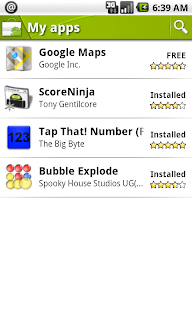
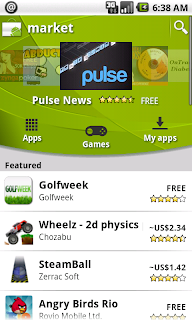
During development, it is often useful to be able to test the Android Market from a device other than your own. However, by default the Android emulator doesnt include the Android Market - nor offer an easy method of installing it. This tutorial will show you how to setup an Android Virtual Device (AVD) running Android 1.6 and the Market application.

Getting Started
This tutorial assumes you have the Android SDK installed and functioning, and have downloaded at least the basic Android 1.6 target. If not, complete these steps before continuing.

First, youll need to download the Android 1.6 system image file from http://www.4shared.com/file/165624746/fc72c3ed/system.html (this can also be found on the HTC website - look for Android Dev Phone 1). This is close to 60MB, so it might take a while to download.

While youre waiting, start the Android SDK and AVD Manager, and create a new virtual device. Choose whatever name you like, and set the target as "Android 1.6". I recommend selecting a 2GB SD card, and booting up the virtual device just to test and make sure it runs correctly.

Replacing the System Image
Now find the folder where your Android 1.6 system image is stored (not the folder for your AVD). Under Linux this will be <android-sdk-folder>/platforms/android-1.6/images/. Notice there is a system.img file in this folder. Copy this to a backup location, and paste in the file you just downloaded. This replaces the default Android 1.6 virtual machine with our new custom image, which includes the Android Market pre-installed.

Setting up the device
Using the AVD Manager to start up the virtual device. If all goes well, it will boot directly into Android, and let you choose to setup the device. Click through the tutorial, and when given the option to enter your Google account, choose "Skip". Well complete that part later*. Finish the wizard.

Now you should see the home screen. Click the grey arrow at the bottom of the screen, and find the Android Market icon. Click to launch it.

Now you can fill in your Google account details. Use a different account than you have on your primary device (you might like to create one specifically for testing Android apps). Accept the terms and conditions, and you should be able to browse and download applications just like on a physical Android device!

Note: The Android Market will automatically update itself some time after linking to your Google Account. Dont be surprised if it suddenly closes without warning - just wait a while and start it up again to continue downloading apps.

* When I tried to complete the initial setup wizard, I got stuck at a screen saying "slide out your keyboard to continue". By skipping this step, and setting up the Google account later on I was able to avoid the issue.

Other resources:
http://www.howtogeek.com/howto/21862/how-to-enable-the-android-market-in-the-google-android-emulator/
http://techdroid.kbeanie.com/2009/11/android-market-on-emulator.html
Read More..

Jumat, 22 April 2016

9 How Tos Every Android User Should Know


The android operating system has some functionality which we all need to exploit. The android operating system is an open source operating system which allows phone manufactures and developers to modify the source code.  This is why most phones today come with this operating system. You must not be a developer to get the best from you device. You should be able to install app, uninstall apps, add accounts, lock your device among others.    In this post, I will answer some top 9 Questions some android users are asking. Let us begin with;
 1   How to install an app
    Installing an android app from app store is one of the most popular ways to do your app installation.
Search for the app===Click on Download and follow instructions.
To install apps from  other store like Amazon underground app. You need to enable apps from unknown source.  Don’t be scared when the warning message pop up.
2 How to uninstall an app
To uninstall an app, Go to Settings===click on App and click Uninstall.
You can force stop the app in this Menu.
 3   How to remove an account
Let us say, you bought a used phone with some ones account signed in on the Device. You might Want to continue using the phone  as customized by the previous user.  Here are the steps to  follow ;
   ==Go to Settings on your phone Menu
   ==Scroll down and click on the account(You might fine Google and other social media account for  social media apps).
  == Click on the top right Menu (three dots at the top). And tap Remove account.
   In some cases, you will need to click on the second time before carrying out the step above
  
 If you want to make the phone look new, then perform a reset of the phone
4 How can I Reset my Phone?
As mentioned above, you can reset your phone to make it look new. There are several ways to do this. My favorite way to do this is as follows.
Step one: Switch off your phone
Step two: switch the phone on while pressing the power button+Up/Down Volume button repeatedly.
In some phones it is the Home+ power button and volume +home +power in others.
 Step three: You should see an unusual screen usually with a black back ground and the text in green. Step Four: Select Factory Rest and confirm.
Wait for the deal to be done. This method can be used if you have forgotten your unlock pattern.
                 Alternatively, you can reset your phone from the Menu as 
follows
==Open your device settings
==Rest Factory
==Tap reset device and confirm by selecting ‘’Erase everything’’.
Factory Reset on an Android  Phone

5 How to add an account
After deleting an account or Resetting your phone, you will need to add other account.
Go to setting===Account===Tap add account.
The social media accounts are added when you sign in on the apps. There is no need to add social media accounts by this method.  
6 How to take a screen shot
Here is the simple thing to do;
Press power button+  up  Volume key

How to recover your operating system

7 How to find you missing android device
 Go to google.com and type the key word  ‘’Ring my Phone’’
Sign in and Ring your phone .
You can also use Device Manager  to do this.
     My recommendation is that you should get premium apps like: ‘’Wheres My Droid’’, Seek android or Pre Anti-Theft. These apps will cost about a dollar and can safe your phone from the bad guys or when it is in silent mode.
  Summarily there are three ways to do this. 
a) with Google search
b) Usinge Android Device Manager
c) Using premium apps  .             

8  How to lock your device remotely
You can use device manager or a premium app.
How to use parental function
9. How To   Know if My Battery is good
Some phones run down fast or goes off not because the battery is bad. It can be due to apps  . Here is how to check your battery strength
a)    Use the USSD code   *#*#4636#*#*     to check your batteries health
   How can you help and Android User?
Read More..

Minggu, 10 April 2016

Android Market First day download stats

A couple of days ago I uploaded a draft of my Android app to the market, to test the signing and publishing process. I was also curious as to exactly how many people were actually interested in downloading an app of this description. So I uploaded the draft (which is not functional in any useful way), added a title and description, as well as a few screenshots. I clearly stated in the description this is an alpha release and not intended for download. Clearly it was not the most attractive app to download by any means. But its interesting to see the downloads from the first day.

One day after uploading my draft to the Android Market, 99 people had downloaded the app. Of those, 57% were "active users", and two people had submitted error reports for an edge condition which has since been resolved.

I never expected this many people to download my draft - especially not since it was labeled "alpha". I didnt promote it in any way - just uploaded it with a decent icon, title and description. If 100 people will download an app labeled "alpha" with no reviews or comments, how many more would download an actual finished app?

Another stat worth listing is the Ad impressions. I had one ad unit included in the main menu of the app. This single ad unit generated approximately 300 ad impressions, and 1 click. Again, this is in the first day after uploading an unfinished draft to the Android Market. I would expect to see many more downloads (and thus more ad impressions) from a finished product, with a few good reviews on the Market.
Read More..

Sabtu, 12 Maret 2016

On digital piracy Part One

(Photo credit to Schwadron)
In the past, pirates were known as the squashbuckling, one-legged, eyepatch-wearing Captain Jack Sparrow-type of sailors who would brave the seas in search of precious treasures (or booty, as it was known). They were the outlaws of the sea, the mavericks who were both celebrated and deplored by many in their time.

However now, the digital age has brought along its own (rather less exciting) type of pirate.
The treasure for todays pirates is no longer a chest of fine precious jewels, but instead perhaps an entire series of Game of Thrones, Ed Sheerans latest album or the Football Manager video game- all of which are accessible easily via torrents, files that direct your computer to download larger ones, be it an MP3 album, a film, or anything.

Whereas to purchase Football Manager 14 from a shop, Id have to locate the item and travel to my nearest game stores (leaving the house, oh!) to lump out 35 of my pounds, via torrenting I can get this for free, completely. All without leaving my house, right on my computer, not a pound lost from my pocket.

Thats largely where the appeal of digital piracy lies- you can get something of value that you desire for free. And in the day of almost all media (even books) now being on digital platforms, you can get quite a lot.

To many, this practice raises serious moral issues, and perhaps rightly so. Is there really a difference between torrenting Fast and Furious 6 and simply walking into my nearest HMV, grabbing a copy of it from the shelves and walking out without paying? On the surface, there is little difference- in both cases you have obtained something of value that was not given willingly to you for free by the creator(s).

However, many people fail to take into account such a link, the reason why digital piracy is far more widespread than shoplifting- and its unsurprising why many of us do not see digital piracy, perhaps irrationally, as a direct equivalent to shop theft.

The internet has hugely affected our behaviour- most notably due to the fact that it provides a proxy between communicators, it provides an environment in which relationships are usually more detached, separated by a screen.
This separation is clear in how confidence is gained by many internet users who, in the real world, have very little- cyberbullies, trollsters and whatnot are largely of this type.

The lack of interpersonal communication during the process of torrenting makes it a much more appealing prospect than outright shop theft; when on the internet alone, you feel there is no one watching you (something in fact untrue), so theres no one that provides a reaction to your torrenting, theres no one to catch or stop you. This is an environment that is far more conducive to theft.

This nature is shown in the statistics- as of 2011, 42% of software running in the world was pirated, 95% of music downloaded online was pirated, and two-thirds of all torrents were illegal. Three years on, illegal downloads have continued to grow in popularity. Its clear- the world is full of digital piracy.

At the end of the day, digital piracy is the same as theft from a store. We have all been guilty of it, but perhaps we need to change our attitudes towards it; we wouldnt steal directly from a shop, so why should we steal online?

But actually, on the other hand, does digital piracy actually matter? Does your downloading of a piece of media really have any negative impact on the multi-millionaire producers of the things we download?

Well be exploring that in the next article. Stick around.


SOURCE(S):

Online Piracy in Numbers – Facts and Statistics [Infographic] www.go-gulf.com/blog/online-piracy/ (2011)

Read More..